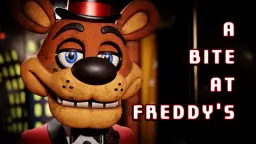
A Bite at Freddy’s
Launching A Bite at Freddy’s
Preparing the browser build...
A Bite at Freddy’s







Play A Bite at Freddy’s Online
A Bite at Freddy’s turns the familiar night-shift mascot horror setup into a pressure test about food service, camera awareness, and careful power use. You are not only watching doors and waiting for a clock to end. A Bite at Freddy’s asks you to keep orders moving through a restaurant system while animatronics look for gaps in your attention. The result feels compact, busy, and sharper than a simple waiting game.
The player above lets you start A Bite at Freddy’s directly in your browser. Press Play now, give the frame a moment to load, and watch the first course before clicking too quickly. A Bite at Freddy’s is a point-and-click strategy survival horror game, so your main tools are observation, timing, and restraint. If A Bite at Freddy’s feels hectic at first, that is the point: every action can solve one problem while making the next one harder.
What A Bite at Freddy’s Is About
At the center of A Bite at Freddy’s is a restaurant shift where the kitchen, party rooms, cameras, and office all matter at once. You step into Freddy Fazbear’s Grill as a mechanic pulled into work that clearly goes beyond repairs. A Bite at Freddy’s frames the night around meal courses instead of a clean timer. Orders need confirmation, dishes need delivery, and A Bite at Freddy’s keeps asking you to make decisions before you have full comfort.
That structure gives A Bite at Freddy’s its identity. Many mascot horror games let time become the main enemy, but here the shift does not politely solve itself. If an order is missed, the run keeps pressing until the task is handled. A Bite at Freddy’s is tense because progress and danger share the same screen. You want the meal to move forward, but the same delivery system can also become a route for something trying to reach you.
How To Play A Bite at Freddy’s
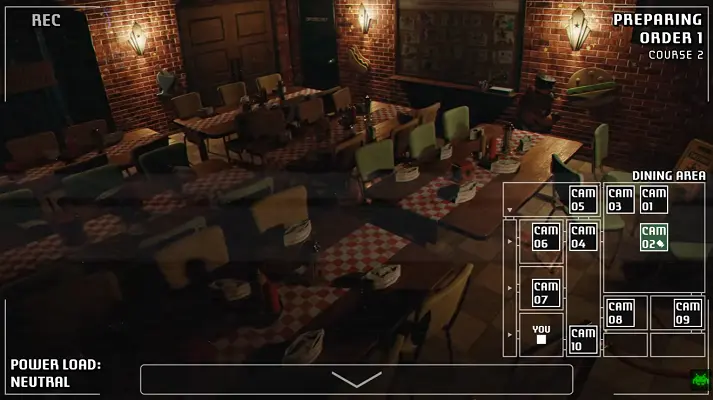
Controls are direct. Use your mouse or touchscreen to check cameras, interact with office controls, confirm orders, stop the conveyor when needed, and trigger the right defense for the right threat. A Bite at Freddy’s rewards players who slow down enough to identify a route before reacting. Panic clicking can create more trouble than it solves, especially once several animatronics are active.
The key habit in A Bite at Freddy’s is triage. Ask what is urgent, what is merely suspicious, and what can wait for a few seconds. A hallway peek is handled differently from a vent push. A backstage sabotage attempt is not the same as a conveyor approach. A Bite at Freddy’s becomes much easier to read once you stop treating every warning as equal and start matching each warning to a specific response.
Orders, Courses, And The Delivery Machine
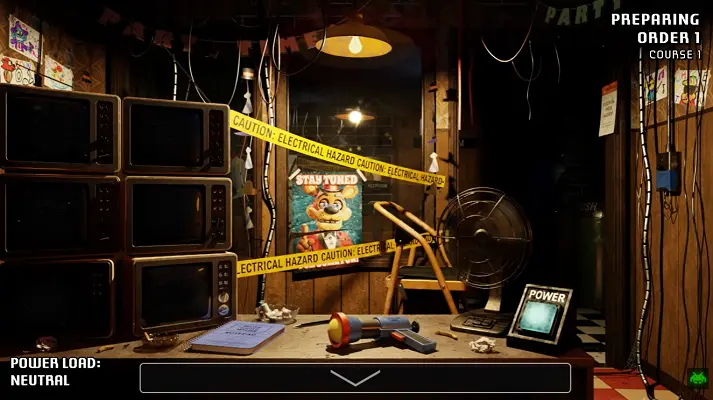
The Freddy Fast-Food Delivery machine is one of the main systems in A Bite at Freddy’s. It moves meals toward the Party Rooms, but it also creates a vulnerable lane through the restaurant. During each course, the Manager prepares dishes while you keep the order flow alive. A Bite at Freddy’s makes that service loop feel dangerous because the delivery path can carry more than food if you ignore the wrong sound or camera cue.
Course structure is what keeps A Bite at Freddy’s from feeling flat. Finishing one course does not end the night. It changes the job. New tasks arrive, new threats wake up, and the restaurant starts asking for tighter timing. A Bite at Freddy’s works because the rules expand gradually. You get enough time to learn one idea, then the next course adds a complication that makes the old habit less safe.
Power Load Changes The Survival Loop
Power Load is the system that makes A Bite at Freddy’s feel different from a standard battery-drain formula. There is no simple comfort in saving one big battery until morning. Instead, defensive actions add strain. Doors, lights, conveyor stops, and other office tools can protect you, but A Bite at Freddy’s punishes wasteful defense by pushing the building toward overload.
If Power Load reaches its limit, your options collapse. That threat changes how you think. In A Bite at Freddy’s, the correct move is not always to shut everything down as soon as fear appears. Sometimes you wait. Sometimes you check one more camera. Sometimes you save a tool for a threat that is closer. A Bite at Freddy’s gets much of its tension from that restraint. Survival is not only about acting fast. It is about acting only when the action is worth the cost.
The Animatronic Routes
A Bite at Freddy’s introduces threats by course, and each one asks for a different response. Talkshow Bonnie and Talkshow Chica can both pressure the delivery machine, but they do not feel identical. Bonnie can also creep through interior spaces and force you to hide the office at the right moment. Chica turns a desk encounter into a fast standoff, where hesitation can be worse than a wrong camera check.
Talkshow Freddy changes A Bite at Freddy’s by bringing the vent route into focus. He can move through the conveyor path or use the Vent Outlet, which makes the Fan a critical tool. Later pressure can make his movement harsher, so sloppy timing becomes dangerous quickly. A Bite at Freddy’s uses Freddy to teach that one animatronic can demand two different kinds of attention.
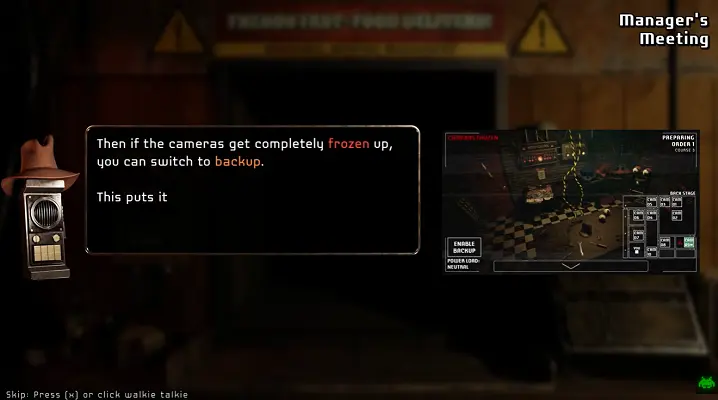
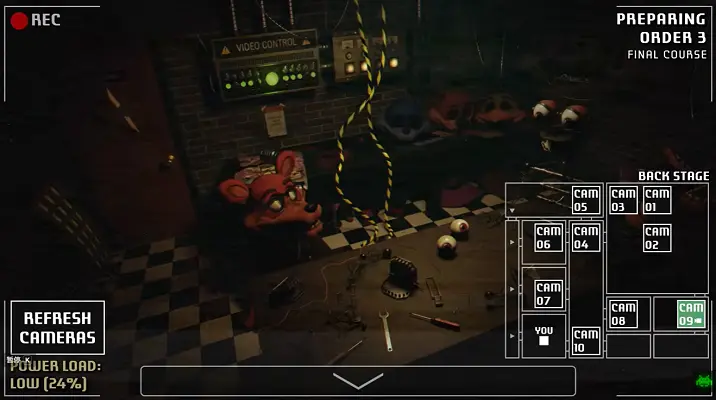
Talkshow Foxy attacks your ability to trust the cameras. He moves toward the Back Stage and threatens the wiring that keeps your visual control useful. A Bite at Freddy’s makes this route especially stressful because camera refreshes become defensive actions rather than passive checks. If Foxy becomes more aggressive, his window tightens, and the delivery route can turn into a sprint you have little time to stop.
Threadbear is the late threat that forces full-system awareness. He does not rely on the conveyor in the same way, but he can jam delivery flow, pressure the vent, and interfere with the video controls. A Bite at Freddy’s saves some of its strongest chaos for Threadbear because his attacks can freeze progress and remove information at the same time.
Strategy Tips For A Bite at Freddy’s
Start A Bite at Freddy’s by learning sounds and room states before chasing speed. A good run comes from recognizing patterns early: where Bonnie appears, when Chica demands a reaction, how Freddy approaches the vent, and when Foxy is close enough to threaten the camera system. The restaurant is easier to manage when each cue has a planned answer.
Do not let Power Load become background noise. A Bite at Freddy’s is designed around the idea that a defense can be correct in the moment and still expensive in the bigger shift. Use the conveyor stop when the route demands it. Use office darkness when the office demands it. Use the Fan when the vent demands it. A Bite at Freddy’s becomes cleaner when you stop using tools for comfort and start using them for evidence.
Browser And Mobile Notes
This page embeds A Bite at Freddy’s as an HTML5 browser build. A current desktop browser usually gives the cleanest experience because camera feeds, small controls, and fast reactions benefit from screen space. A Bite at Freddy’s may open on mobile or tablet browsers, but the interface can feel tighter on phones, especially when several threats overlap.
If A Bite at Freddy’s opens to a black screen, stalls on loading, or says WebGL is not available, refresh once and give the build time to initialize. Strict privacy extensions, iframe restrictions, hardware acceleration settings, or aggressive blockers can interrupt browser games. The player includes an open-in-new-tab control in case A Bite at Freddy’s works better outside the embedded frame. Saves and settings belong to your browser and the game build, so avoid clearing site data if you care about local progress.
Content And Fan Game Note
A Bite at Freddy’s is fan-made mascot horror with sudden scares, restaurant unease, mechanical pressure, and references to haunted animatronics. It is not presented here as an official Five Nights at Freddy’s release or an official brand page. A Bite at Freddy’s is best approached as a short fan strategy game that borrows the night-shift fear pattern and reshapes it around food delivery.
This is an unofficial browser-play page for A Bite at Freddy’s, built to keep the player, screenshots, video preview, FAQ, and troubleshooting notes in one place. The goal is practical: make A Bite at Freddy’s easy to launch online and easy to understand before the first order starts moving. A Bite at Freddy’s is best started with the sound on, a clear screen, and enough time to learn the first route.
Why A Bite at Freddy’s Sticks
The strongest part of A Bite at Freddy’s is how much it can ask from a small set of tools. The game is short enough to feel focused, but the order system, Power Load, conveyor, vent, camera wiring, and random route pressure keep the shift from becoming routine. A Bite at Freddy’s understands that a good survival loop is not about adding endless buttons. It is about making each button matter.
That is why A Bite at Freddy’s works for players who like mascot horror but want a more active restaurant-management twist. A Bite at Freddy’s has the familiar office tension, but A Bite at Freddy’s keeps pulling your attention back to service work. You are not simply hiding until morning. You are trying to keep a meal service alive while the building turns against you. Start slow, learn the routes, respect Power Load, and let A Bite at Freddy’s show why a bite-sized horror game can still keep both hands busy. For returning players, A Bite at Freddy’s is also easy to replay because a cleaner route can make the whole shift feel different.
A Bite at Freddy’s Screenshots
A Bite at Freddy’s Videos
A Bite at Freddy’s FAQ
Can I play A Bite at Freddy’s online?
Yes. This page embeds A Bite at Freddy’s as a browser-play experience, so you can press Play now and start the shift without using a separate download here.
What kind of game is A Bite at Freddy’s?
A Bite at Freddy’s is a fan-made point-and-click survival horror strategy game with food orders, cameras, vents, delivery routes, and FNAF-inspired mascot pressure.
What is Power Load in A Bite at Freddy’s?
Power Load is the strain created by defensive actions. In A Bite at Freddy’s, overusing doors, lights, the conveyor stop, or other tools can push the system to a lockout.
Does A Bite at Freddy’s use a normal 6 AM timer?
No. A Bite at Freddy’s is driven by orders and courses. You need to keep meal delivery moving while surviving the animatronics instead of simply waiting out a clock.
Who is Threadbear?
Threadbear is a late-game threat in A Bite at Freddy’s. He can jam delivery flow, pressure the vent, and interfere with camera control in ways that demand fast triage.
What should I do if A Bite at Freddy’s will not load?
Refresh once, wait for the browser build to initialize, disable strict blockers for this page, or use the open-in-new-tab control if your browser blocks the embedded frame.
Why does A Bite at Freddy’s say WebGL is not available?
A Bite at Freddy’s needs browser graphics support. Try a current Chrome, Edge, or Firefox build, turn hardware acceleration back on, and avoid privacy modes or remote browsers that disable WebGL.